01
HOME SCREEN / LIVE
TWO LIVE
COUNTDOWNS
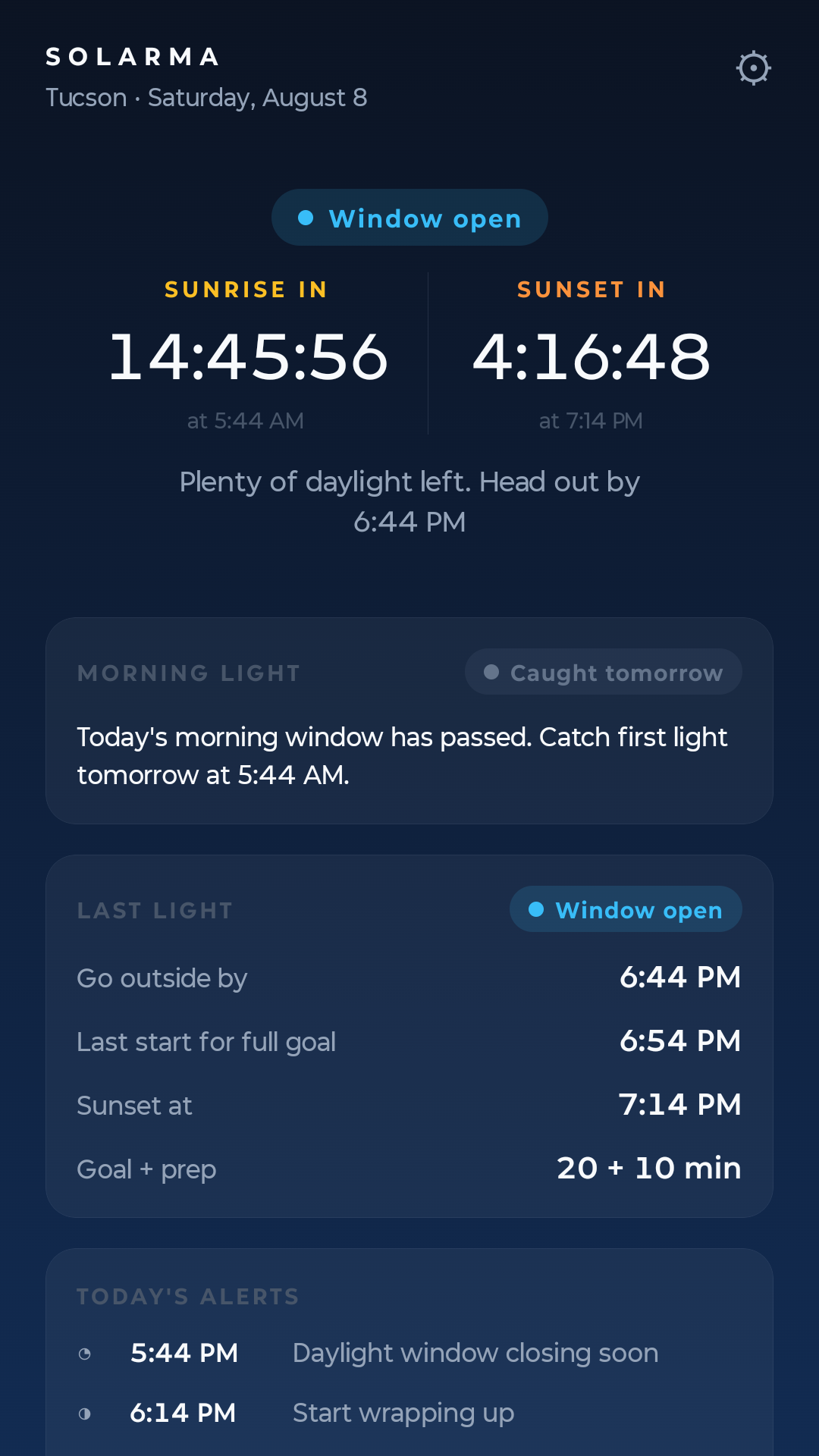
The home screen shows time to the next sunrise and the next sunset, with the clock time under each. No hunting through forecast pages for sun times.
TOOLS FOR
REAL LIFE
INSTRUMENT 02 / SUN TIMES AND ALARMS FOR ANDROID
NEVER MISS THE LIGHT.
Sunrise and sunset countdowns, a personal daylight deadline, alarms, and home-screen widgets.
FIG. A / THE LEAVE-BY TIME, TRACKED DAILY
Solarma answers the one question
a weather app does not.
The last moment you can still head out — computed for your day, counted down on your home screen, kept honest as the seasons move the sunset.
THE FIELD NOTES
Nine small jobs. Each one points the same direction: out the door.
HOME SCREEN / LIVE
The home screen shows time to the next sunrise and the next sunset, with the clock time under each. No hunting through forecast pages for sun times.
YOUR LEAVE-BY TIME
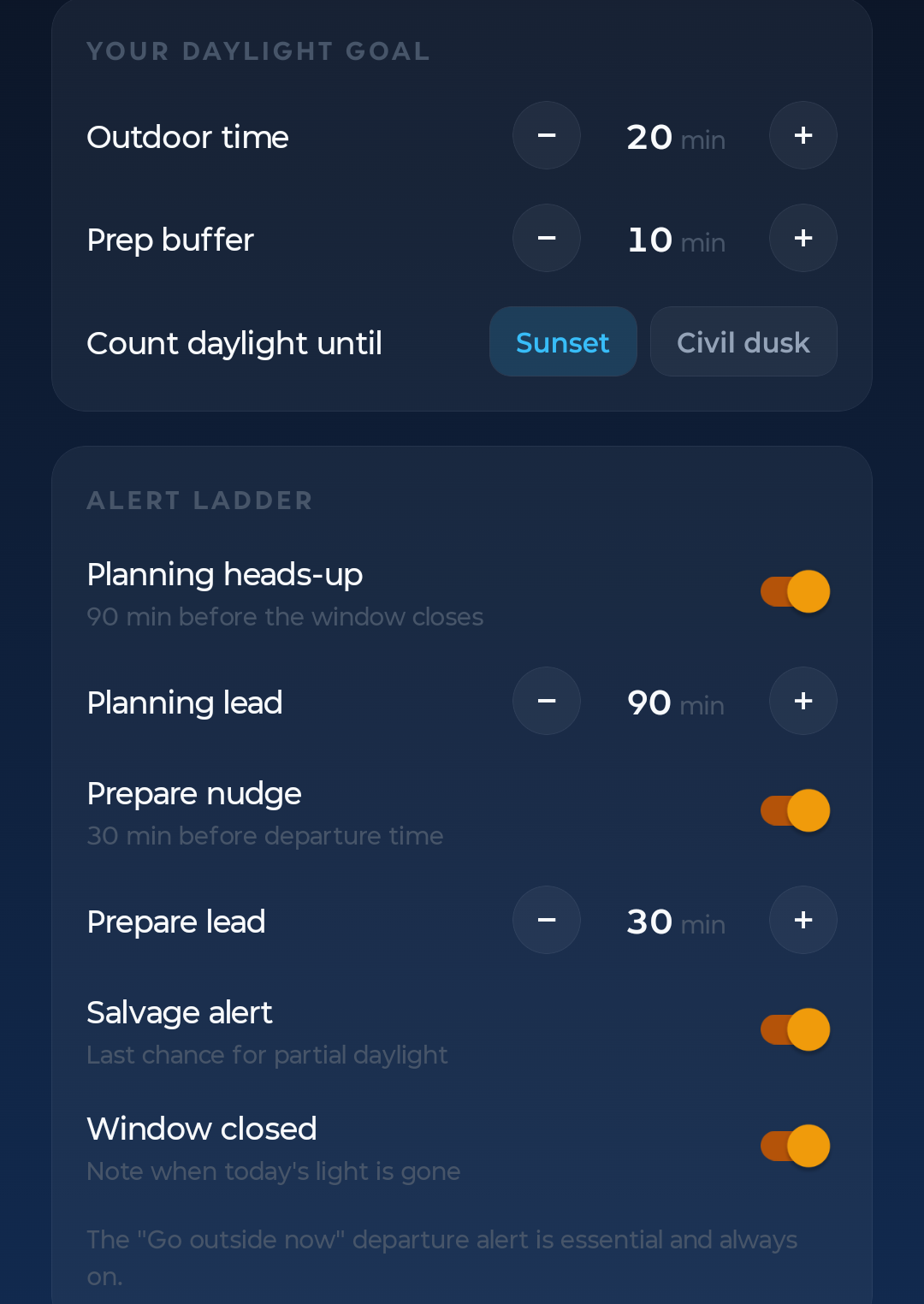
Tell Solarma how many minutes outside you want and how long it takes you to get out the door. It computes your personal leave-by time, counts down to it, and keeps it updated as the seasons move the sunset. Count daylight until sunset or civil dusk, whichever you prefer.
FOUR STEPS / ONE SOUND
A heads-up while there is still time to plan. A nudge when it is time to get ready. One loud alert at the deadline. A quiet note when the window has closed. Each step can be switched off, and only the deadline alert makes a sound.
MORNING CARD
A morning card shows when usable light starts and how long the prime window lasts, so early hours are never a guess. An optional silent reminder covers it.
GLANCEABLE / TAP TO OPEN
Morning and sunset widgets show your key times right on the home screen and update through the day. Tap to open the app.
CLEAR-SKY FINDER / OFF BY DEFAULT
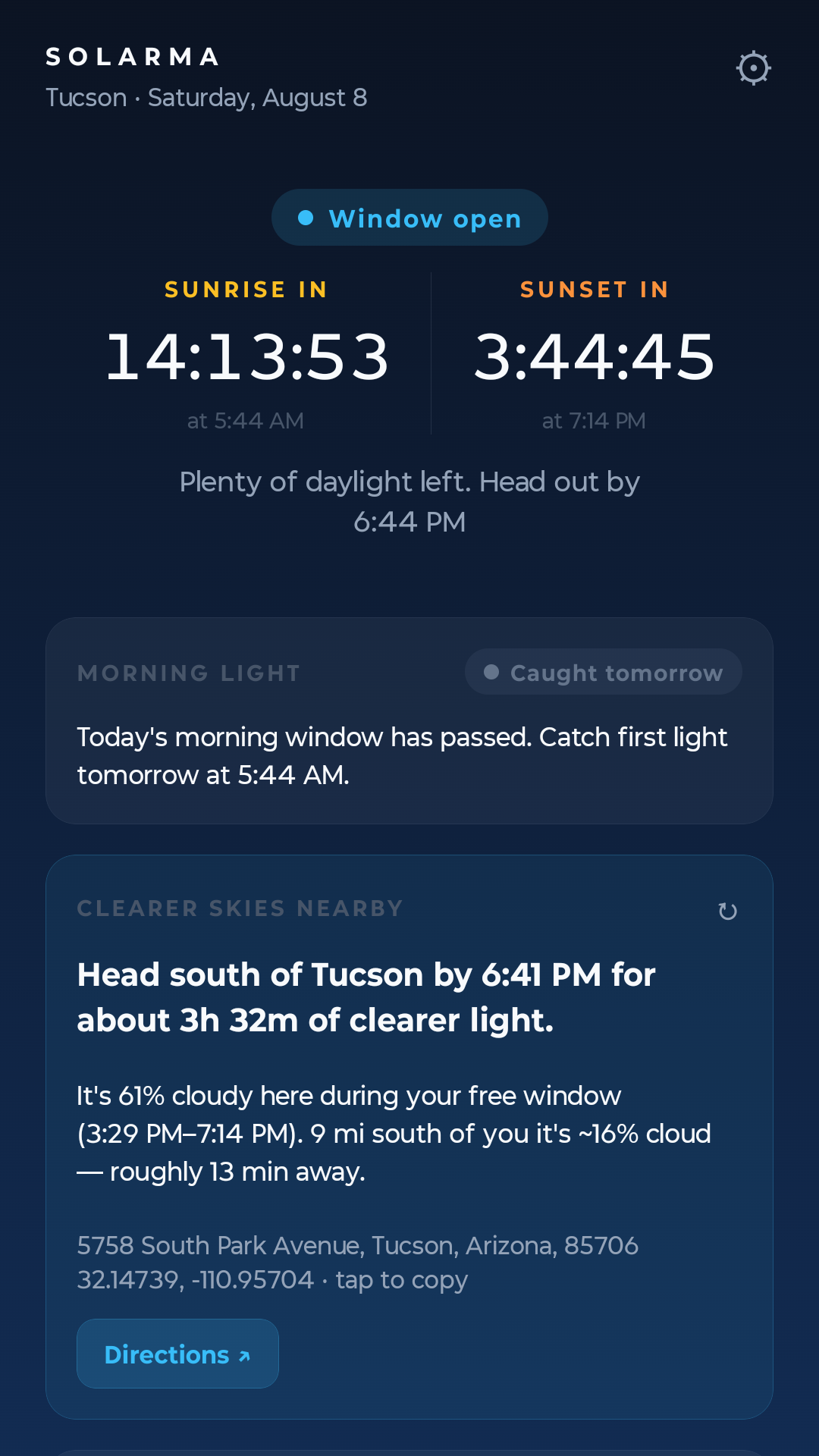
Overcast during the hours you can actually get out? Tell Solarma when you are busy — off work at four, say — and the clear-sky finder checks National Weather Service forecasts at a fixed set of approximate points up to 100 km (62 mi) from home. It names the nearest reachable spot with meaningfully clearer sky, when to leave, and how much clear light you would actually get there — with the street address, tap-to-copy coordinates you can paste into any maps app, and one-tap directions. It is off by default and available only where NWS forecast coverage is supported in the United States.
In practice it reads like: Head south of Tucson by 6:41 PM for about 3h 32m of clearer light — followed by the address to drive to.
OVERLAY / OFF BY DEFAULT
Schedule a deep-red tint over the whole screen for late-night hours, with adjustable intensity and automatic on and off times. Off by default. It uses the display-over-other-apps permission for that one purpose.
ON-DEVICE / OFFLINE
No Solarma account. No ads. No tracking. The sun math, alarms, and widgets run on your phone and keep working offline. In Solarma 1.1, your exact raw location stays on your device. Each forecast refresh uses the same deterministic nine approximate points snapped to a 0.04-degree grid: the center plus north, east, south, and west points at 15 km and 100 km. That set is independent of activities, availability, and travel preferences; the app makes at most two NWS requests at a time and reuses an on-device NWS cache. A point is rejected if it would snap to ±80° latitude; the last supported full cell is centered at ±79.96° and represents at least 3 km². Snapped +180° and −180° longitudes share one canonical −180° full cell at the antimeridian. Android place-label requests use only an approximate home cell or an app-generated public candidate point, and place-pack downloads use coarse geohash-3 regions. The privacy policy also documents earlier Solarma 1.0 forecast and geocoder behavior while that version remains in use.
SOLARMA+ / OPTIONAL
Choose the outdoor things you actually do — parks, trails, playgrounds, disc golf, and more. Light Week matches seven days of usable light with your free time, nearby mapped places, and the forecast, then gives you up to three specific day, place, window, and leave-by plans. U.S. place and forecast coverage are available at launch. Its maximum one-way travel setting is 55 minutes so recommendations stay inside the fixed forecast grid.
U.S. list price: $0.99 per month or $9.99 per year. Eligible new subscribers can start either plan with a 14-day free trial. Unless you cancel in Google Play before the trial or current billing period ends, Google Play charges the selected plan and it renews automatically. Cancel anytime in Google Play. Taxes and local pricing may vary. All current Solarma features remain free.
THE SCREENS
Three screens from the current Android build.
SOLARMA / AVAILABILITY
Solarma is available for Android on Google Play. The app is free; the optional Solarma+ Light Week planner is purchased only inside the Play-distributed app. Read the privacy policy and place-pack data notice. Questions: admin@gammystudios.com.
Solarma's light and sleep guidance is for general wellness. This app is not a medical device and does not diagnose, treat, cure, or prevent any medical condition. Consult a qualified healthcare professional for medical advice, diagnosis, or treatment.
OPEN IN GOOGLE PLAY ANDROID / AVAILABLE NOW